Roadmap to Work Graph
Use this flow when a rough idea is too vague for a runner, or when one idea needs several ordered tasks across projects.
Mental model
| Layer | Purpose | Dispatchable? |
|---|---|---|
| Roadmap | Rough ideas, refined ideas, epics, labels, and project context. | No |
| Backlog | Jira-like markdown specs with acceptance criteria, evidence expectations, priority, runner hints, and slot policy. | Yes, when ready |
| Work Graph | Ordering across backlog specs, external blockers, human gates, and rebase/completion dependencies. | It schedules backlog nodes |
| Dispatch queue | Concrete queued work waiting for a compatible slot/model/runner. | Yes |
| Run | The execution attempt with terminal output, validation, evidence, and review. | Already dispatched |
Example cross-project epic
This demo starts as roadmap refinement, becomes multiple backlog specs, then fans out across protocol, Command Center, docs, CLI, and companion app work.
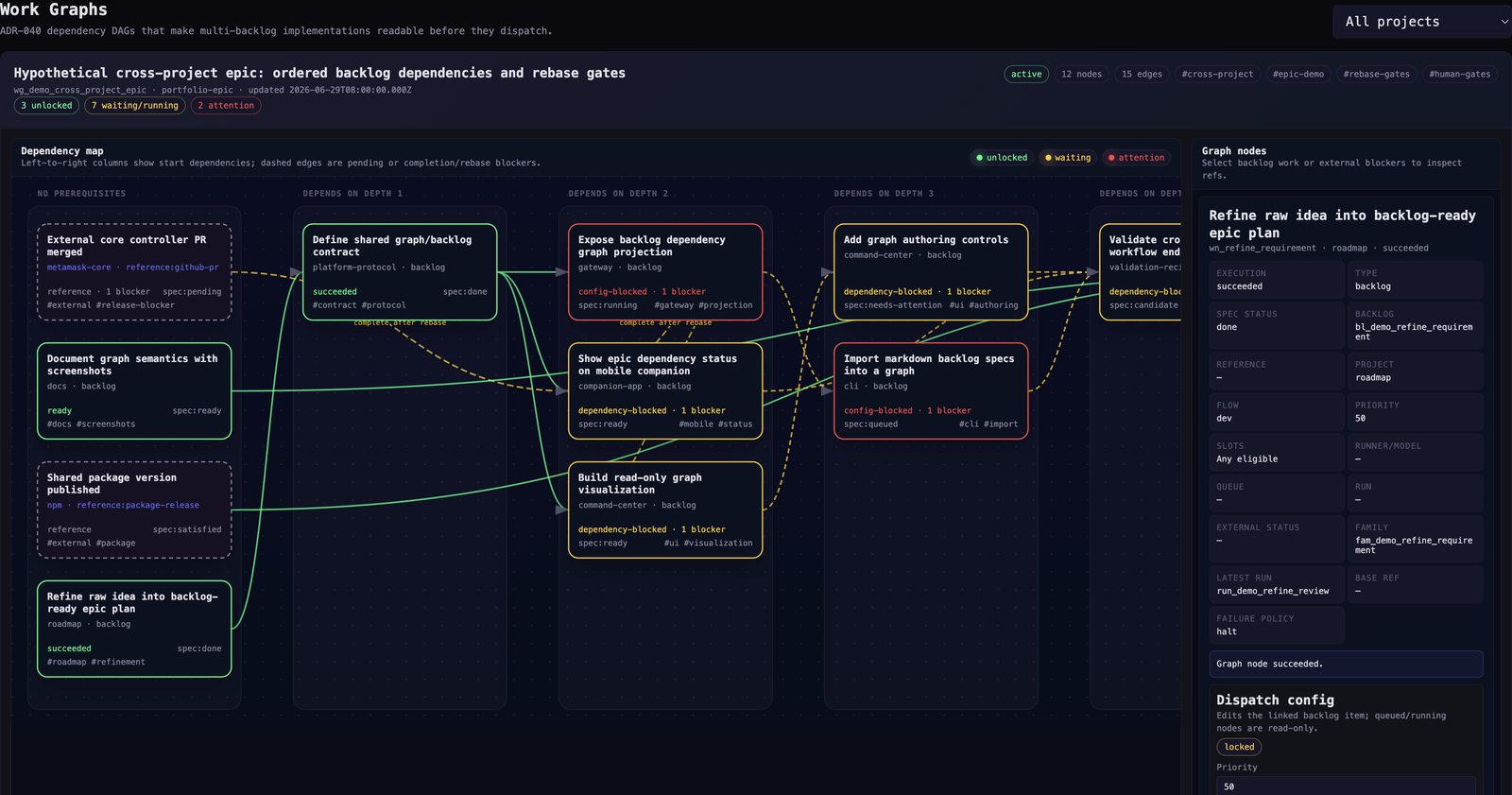
Read the graph left to right:
- dashed cards are external blockers or reference-only work;
- solid cards are Farmslot backlog specs;
- green nodes are unblocked or complete;
- yellow nodes can start but cannot finish yet;
- red nodes need operator attention;
- dashed edges are completion or rebase gates.
Flow
- Capture the idea in Roadmap. Keep it editable markdown. Use labels that also make sense on backlog items and runs.
- Refine interactively. Launch the project refinement prompt in a tmux runner when the idea needs acceptance criteria or decomposition.
- Promote manually. A refined idea can become one backlog item or a family of backlog items.
- Compose the Work Graph. Add backlog nodes, external blockers, human gates, and dependency edges.
- Configure execution. Click a node to inspect status, blockers, queue/run links, and dispatch config.
- Dispatch ready work. Ready backlog nodes can enter the shared queue. Waiting/running nodes stay read-only.
- Feed evidence back. Completed runs produce artifacts and learnings for future roadmap, specs, prompts, and recipes.
Dependency map
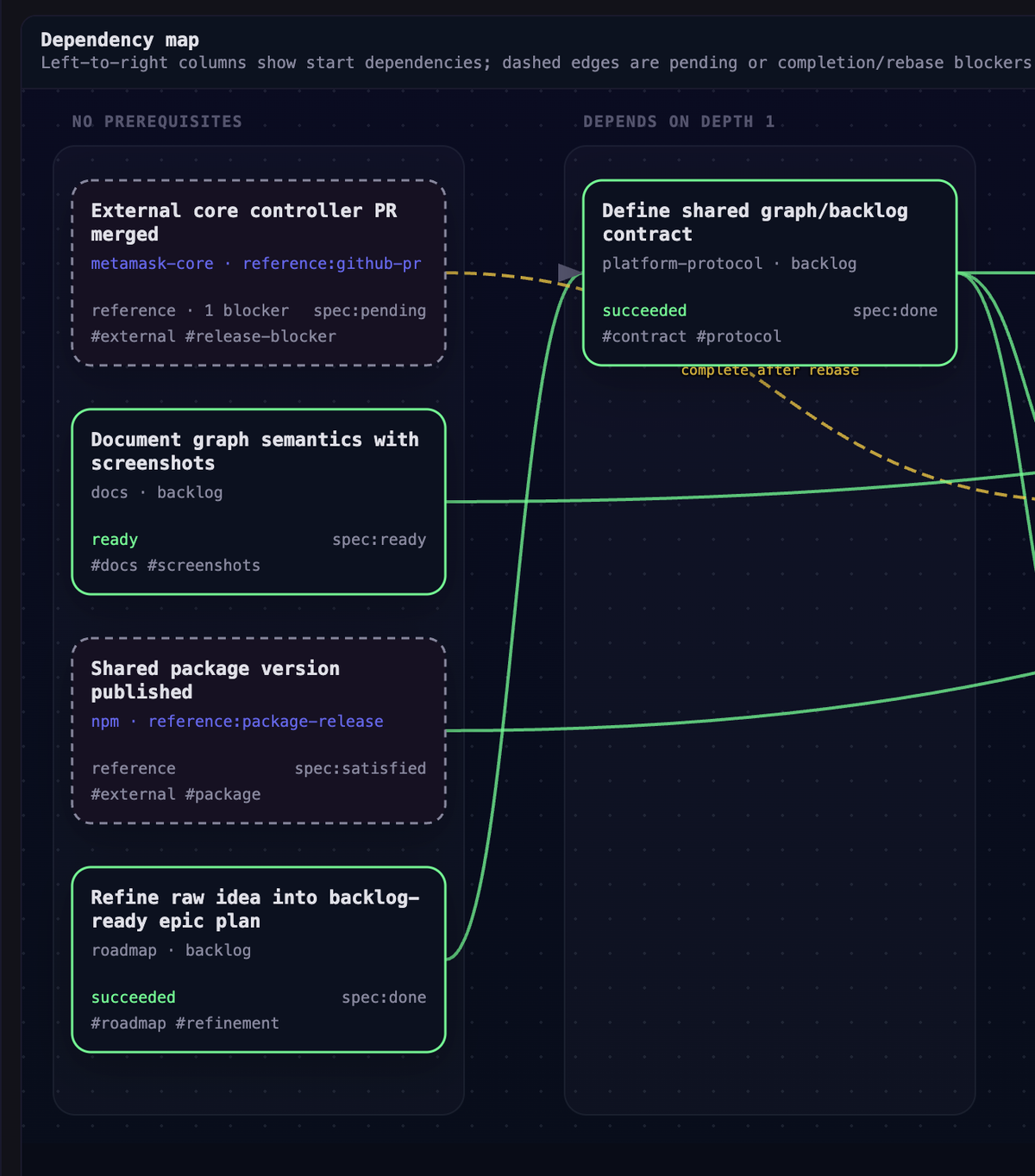
Use a Work Graph when flat backlog order is not enough:
- an epic spans multiple repositories or project farms;
- a client task waits for a core package release;
- work can start now but needs a later rebase before completion;
- a human approval blocks progress;
- an external Jira task, PR, release, or design decision blocks Farmslot work.
Node detail and dispatch config
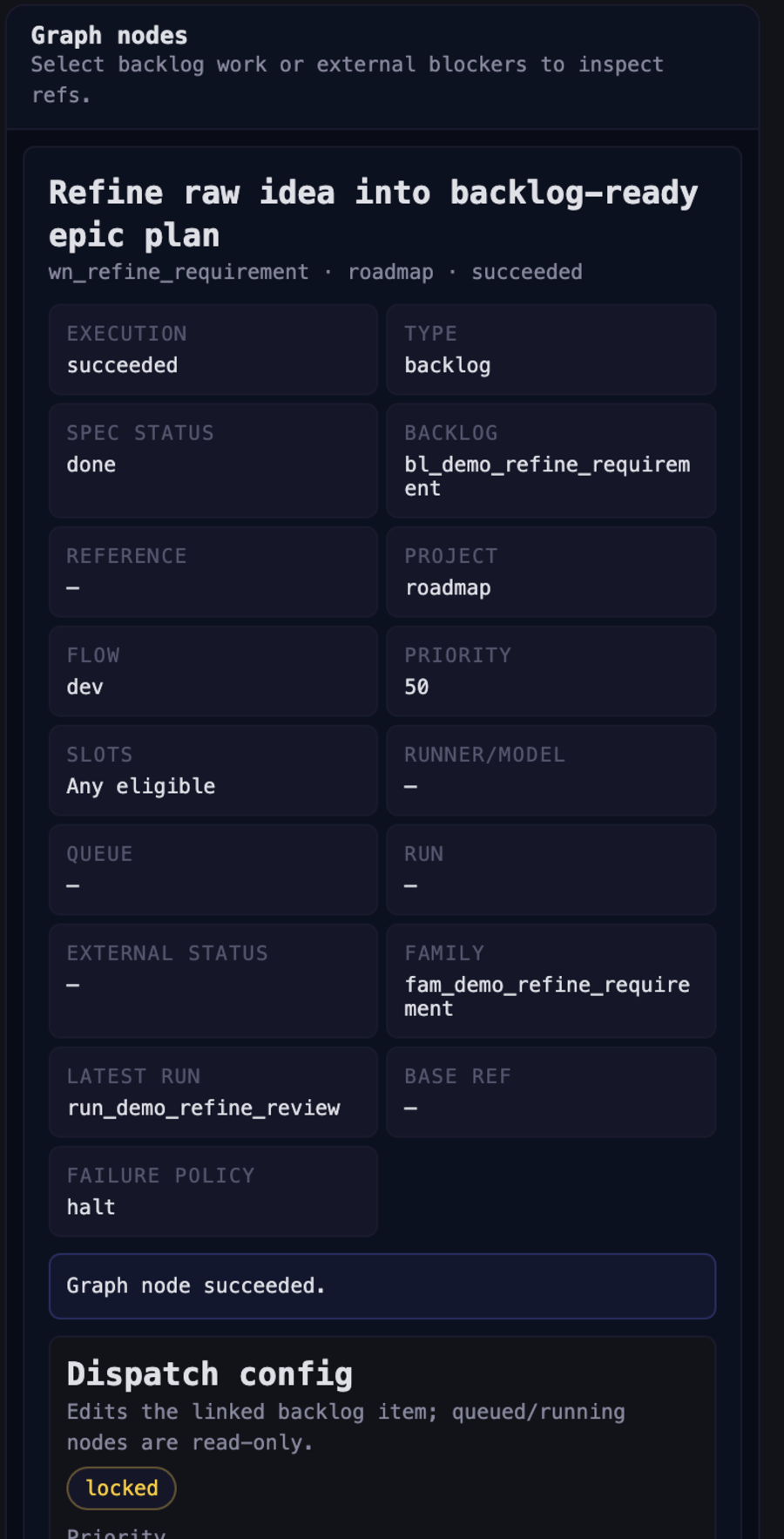
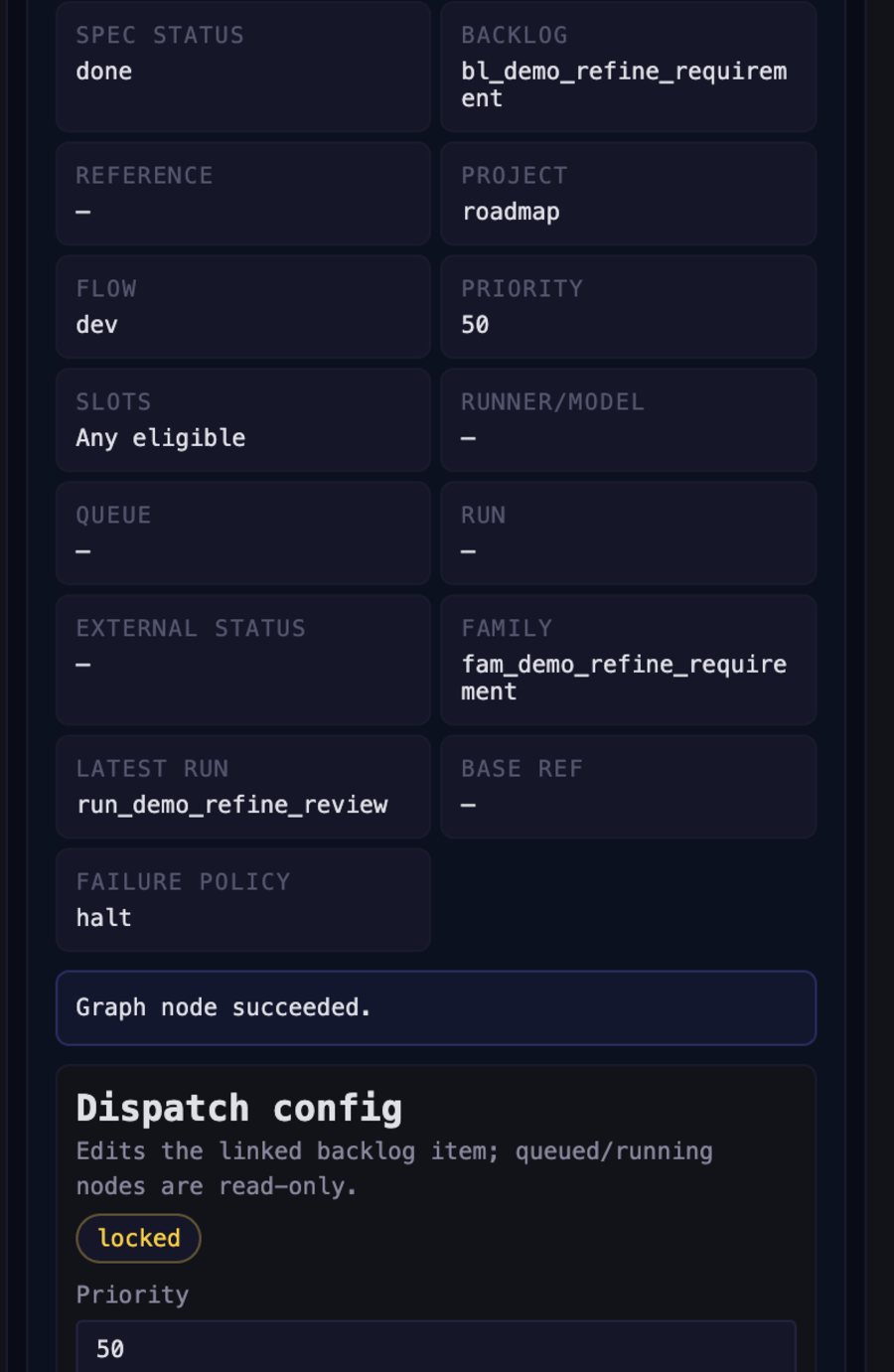
The node panel shows:
- spec status and graph execution status;
- the linked backlog spec or external reference;
- runner, model, slot, priority, queue, and run state;
- whether dispatch config is editable or locked.
Keep responsibilities separate: the graph explains order; the backlog spec explains what to build and how to validate it.
Flat backlog or graph?
Use the backlog screen directly when work is independent, already scoped, and can run as soon as a matching slot is available.
Use Roadmap + Work Graph when work still needs refinement, decomposition, cross-project sequencing, external blockers, or a visible release plan.
Contributor demo mode
Open a dev route with ?capture=1 for focused screenshots:
#dev/work-graph?capture=1
Capture mode hides Command Center chrome and the dev harness selector. The normal dev harness index groups routes into Screens, Components, and Experiments.