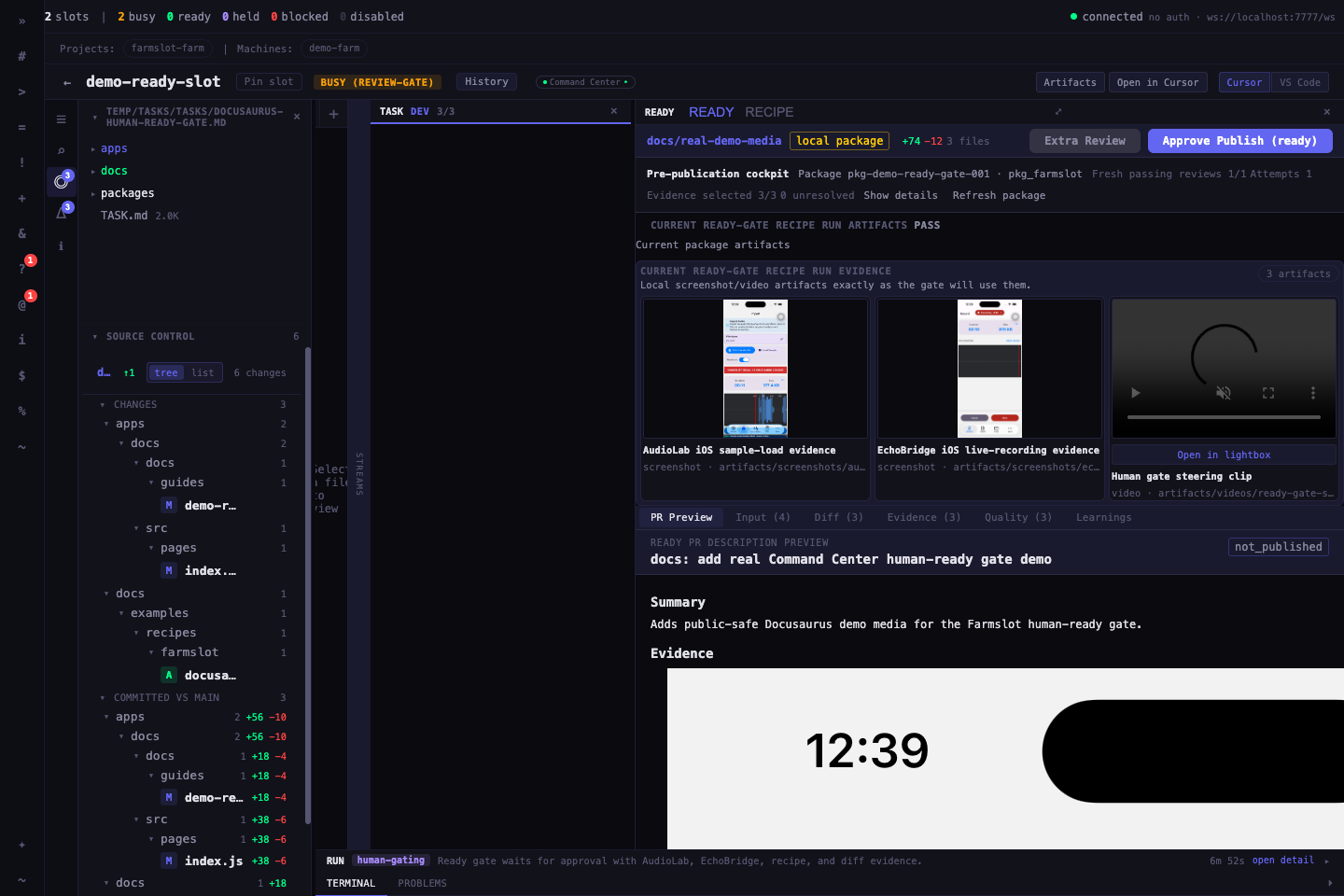
Command Center
Command Center is the desktop operator surface for Farmslot.
It exists because supervising many agents from one serial chat or a pile of terminal windows does not scale. The operator needs a persistent cockpit for fleet state, run state, evidence, terminals, decisions, and publication gates.
Core jobs
Slot health, readiness, machine state, and dispatchability.
Run families, lanes, active work, progress, and status transitions.
Inspectable worker panes and live output when intervention is needed.
Artifacts, screenshots, traces, diffs, validation outputs, and recipe proof.
Human approvals before publication, recovery, or high-impact next steps.
Reference/candidate comparisons for prompts, templates, runners, and harness changes.
Pinned slots and manual work recovery
Command Center separates operator focus from run lifecycle. The left sidebar can pin slots you want to keep watching, even when many other runs are active. Pinning is a local Command Center preference: it changes navigation, not gateway protocol state. Pinned slots can also have local display labels for manual continuation work when the AI-generated run title is not useful, and the sidebar view respects the active global project/machine filters without deleting out-of-scope pins. When a pinned slot has an attached run, the sidebar shows the mini pipeline. The worker activity badge only uses structured runner signals (hook, statusline, or task-file); unsupported or heuristic-only panes show as unknown instead of guessing.
If a worker finished a run but you keep using the same terminal session for follow-up work, do not create a special adopted run. Keep the slot pinned while you work, push the branch or open a draft PR when ready, then start an interactive pr-complete run against that PR so Farmslot can supervise review, CI, and completion from a durable ref.
Relationship to the gateway
Command Center is a client of the gateway. It should not invent a second state model.
Operator workflow
- See which slots and workers are available.
- Dispatch or inspect work from a structured surface.
- Watch live terminals only when needed.
- Review evidence, diffs, recipe traces, and before/after artifacts.
- Approve, reject, recover, or ask for another iteration.
Human review gates
Command Center is also where finished work becomes reviewable. The ready gate brings the package, app behavior, validation results, diff, and quality checks into one decision surface.